
How EchoSense fits into a real consultancy workflow
From setup to export, EchoSense keeps thermal, audio and evidence outputs in one process.
That means less manual stitching afterwards, faster access to the night’s outputs, and a cleaner route into your own reporting workflow.
EchoSense reduces the amount of manual reconstruction that usually happens after the survey.
Less separate tools.
Less matching files by hand.
Less rebuilding the evidence chain afterwards.
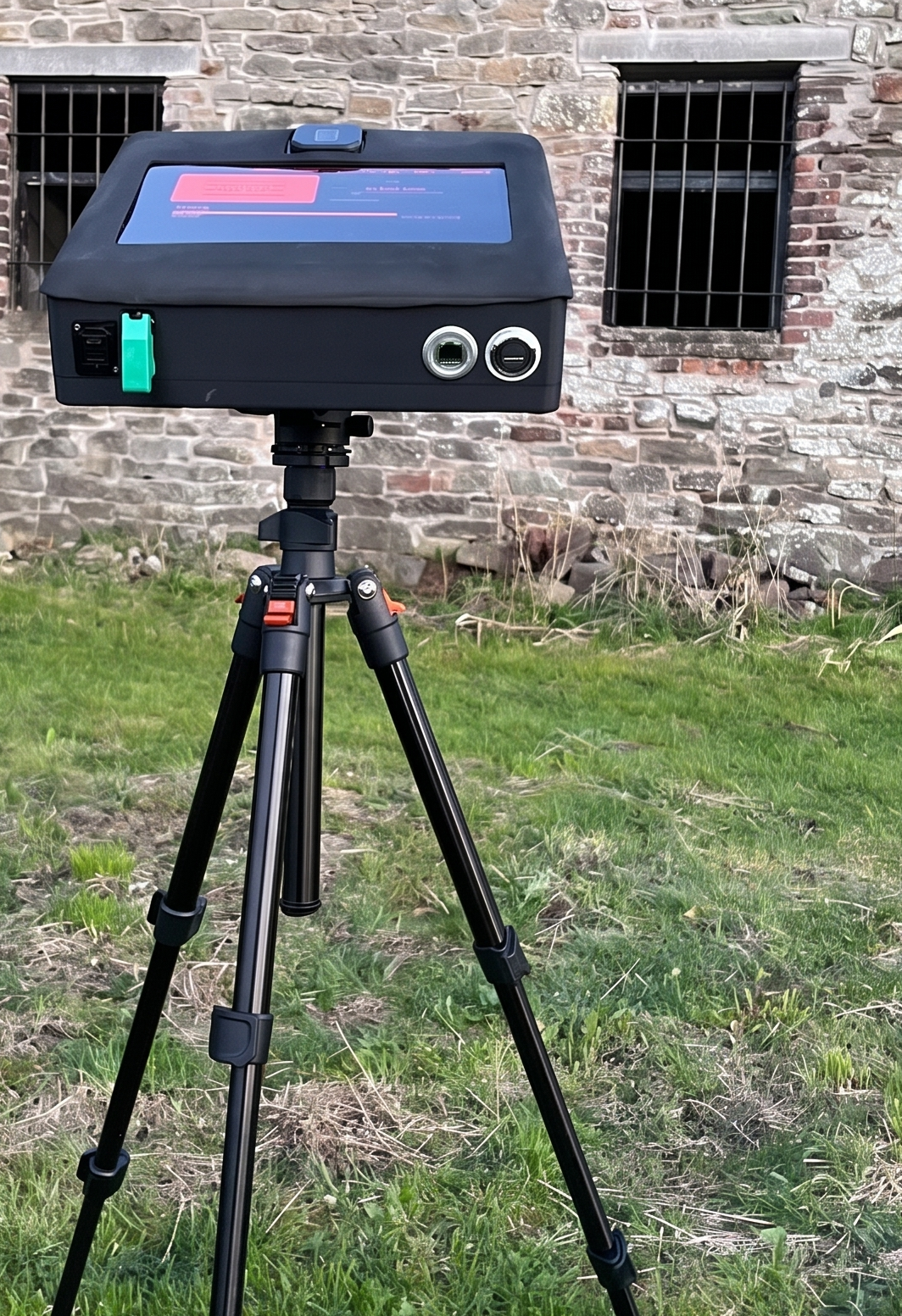
STEP 1 - Set up in seconds
Place the unit at your survey location
No complex setup required
No cables, sockets or plugs.
Flick one switch to begin.
STEP 2 - Capture everything automatically
During the survey, EchoSense:
Detects thermal movement
Tracks bat flight paths
Captures full-spectrum audio
Monitors defined roost zones, ignores exclusion zones.
You do not need to manually track every event or build every package by hand. EchoSense handles capture in the background, leaving you in control when you want to step in.
STEP 3 - Create evidence during the survey
As activity occurs, evidence packages are created during the survey rather than being reconstructed later.
Each event includes:
Thermal video
Audio call
Sonogram
Timestamp
Species ID
Location
You can:
Review events during quiet periods
Edit or label evidence on-site
STEP 4 - Export the night’s outputs within minutes
At the end of the survey, you can export in minutes:
full survey MP4
combined MP4 with sonogram and audio
GUANO audio for external tools such as Kaleidoscope or BTO
No manual video review phase.
No timestamp matching.
Your data is ready for reporting before you leave site.
STEP 5 - Finish inside your normal reporting structure
EchoSense is built to work with your existing reporting process.
If you want further review afterwards, you still can via the onboard Analysis Suite.
The difference is that the evidence chain is already far cleaner by the time you leave site.
What usually happens without EchoSense
Record survey
Review footage another day
Match audio and video, create clips and screenshots
Identify species
assemble evidence for the report
Export everything at the end
What changes with EchoSense
After each survey, you’ll have:
record survey
keep thermal, audio and evidence aligned during the workflow
export the night’s outputs within minutes
move faster into your normal reporting process
Structured evidence packages
Thermal clips
Synced Audio
Sonograms
Export-ready data
Everything organised and aligned.
Designed for field conditions:
Night-optimised interface
Minimal setup requirements
Enclosed system
Built for real survey environments
See whether EchoSense fits your workflow
Book a 20-minute workflow fit call to look at your current process, where post-survey analysis is costing time, and whether there’s a suitable survey to use as a first booking.